Spaces for every project
Keep work, study, research, and personal browsing separate instead of letting every context compete in one window.

 Install Now
Browser workspace manager
MySpaces is a browser workspace manager for people who keep too many tabs open. Save the browser setups you repeat every day into clean, reusable spaces.

MySpaces turns repeated browser setups into reusable spaces. Save a workflow once, close the noise, and bring the right tabs back when you need them.
Keep work, study, research, and personal browsing separate instead of letting every context compete in one window.
Stop rebuilding the same tab setup every morning. Reopen the tabs you need when that workflow returns.
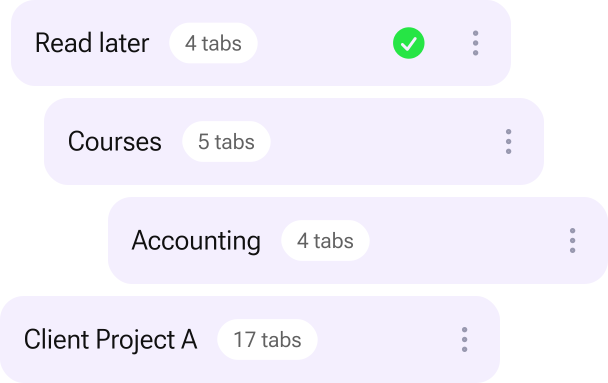
Build each space with browser-native tab groups and pinned tabs so every workflow opens organized and ready to use.
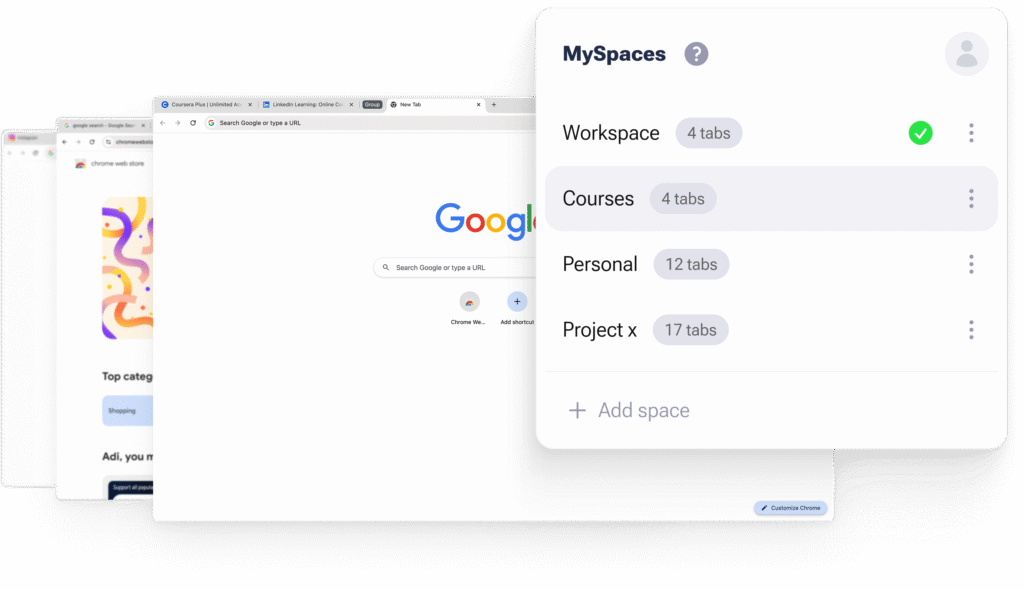
Keep important spaces available across supported Chromium browsers when your workflow moves.
 Chrome
 Firefox
 Opera
 Brave
 Edge
Start a workflow on one device, then continue from another without rebuilding the same tabs manually.

MySpaces is for organizing tabs, not monitoring behavior.
User feedback focused on tab cleanup, project separation, and faster context switching.
"My tabs were scattered everywhere. MySpaces gives each project a proper place."
 Kari DennisChrome Web Store user
"Clean extension, easy tab organization, and support answered quickly."
"Simple idea, useful execution. It makes browser workspaces feel natural."
 HaxChrome Web Store user
"Finally, workspace-style browsing without changing windows all day."
"I use separate spaces for work and personal browsing. The app stays clean and quick."
 Nursultan M.Chrome Web Store user
"Useful for project work. I recommend it to people who live in browser tabs."
Use the free plan, or unlock unlimited spaces and sync with a lifetime license.
$0
Free version remains available for basic tab organization.
$12.99
Pay once and own the plugin forever.
Watch the quick walkthrough, then install MySpaces to turn repeated browser setups into reusable workspaces.
MySpaces is a browser workspace manager for people who keep too many tabs open. It saves tab setups into named spaces for work, study, research, personal browsing, and recurring projects.
MySpaces is available through the Chrome Web Store and Firefox Add-ons, with support for Chromium-based browsers like Chrome, Edge, Opera, and Brave, plus Firefox-based browsers through the Firefox store version.
The free plan includes 3 spaces, grouping support, Pinned Tabs support, and sync for 3 spaces.
The Lifetime plan includes unlimited spaces, grouping support, Pinned Tabs support, plus sync between browsers and computers for a one-time fee.
MySpaces is built around organizing browser tabs, not collecting data. We do not collect your browsing history, track your behavior for ads, or build usage profiles. Your tab organization stays local unless you choose sync, and even then only the minimum account and space data needed for sync is used.
Use the Buy Lifetime License button on the pricing page. After purchase, your license will be sent to your email, along with the instructions you need to activate it.
Open the MySpaces listing in the Chrome Web Store or Firefox Add-ons, choose the browser option, and follow the store installation prompt. Once installed, open the MySpaces extension from your browser toolbar or extensions menu. If you do not see it, check the browser extensions menu and pin MySpaces for quicker access.
Open MySpaces and create a space for one clear context, such as a client, course, or personal planning. Give it a recognizable name, add the tabs that belong to that activity, and save the setup. Keep unrelated work in separate spaces so it is easier to return to the right browser context later.
A space is a named, reusable browser workspace made from a set of tabs for a particular task or context. Examples include a work project, a class, trip planning, research, or personal admin. MySpaces helps you save and reopen those tab setups instead of searching through one long mixed window.
Open MySpaces from your browser toolbar and select the saved space you want to return to. MySpaces restores the tabs associated with that workspace. The exact window and tab behavior can depend on your browser and current session.
Yes. MySpaces supports browser tab groups as part of an active browsing session. A space is the reusable workspace you save and return to; tab groups help visually organize related tabs within the browser.
Yes. MySpaces supports pinned tabs. Pin recurring tools such as email or a calendar when you want them close at hand. Pinned-tab behavior is controlled by the browser and can vary between browser versions.
The Free plan includes up to 3 spaces. The Lifetime plan includes unlimited spaces. See the MySpaces pricing page for the current plan details.
MySpaces offers sync for saved spaces. The Free plan includes sync for up to 3 spaces; Lifetime includes sync between supported browsers and computers. Sync requires the relevant account or sync setup in MySpaces. It does not sync browser cookies, passwords, or website sessions.
Check that you have signed in or completed the sync setup on both devices, that both are online, and that you are using the same MySpaces account. Confirm that sync is available for your plan and allow a short time for changes to appear. If the issue continues, contact support with your browser name and version and a description of what you expected to sync.
No. MySpaces sync is for workspace information such as saved spaces, website URLs, and tab structure. Browser cookies, passwords, cache, and logged-in website sessions remain managed by your browser and are not part of MySpaces space sync.
Yes. MySpaces is available through Firefox Add-ons. Install the Firefox version from its official add-ons listing. Some browser capabilities can differ between Firefox and Chromium-based browsers.
MySpaces is available for Chrome and Firefox, and supports compatible Chromium-based browsers including Edge, Brave, and Opera. Availability and some browser-specific behavior depend on each browser and its extension store.
Open your browser extensions menu and look for MySpaces. Pin it to the toolbar if your browser offers that option. If it is missing from the extensions list, confirm that installation completed in the correct browser profile and reinstall it from the official extension store if needed.
Check that the saved address is still valid and that your browser can open the site directly. Some sites block extension-driven opening or require you to sign in again. Update MySpaces and your browser, then try reopening the space. Contact support if the problem continues and include the browser version and steps to reproduce it.
MySpaces saves workspace tabs and their website addresses; it does not save website passwords or authentication sessions. Whether a site remains signed in depends on that site and your browser cookies.
Uninstalling removes the extension from that browser. Before uninstalling, make sure any information you need is synced or otherwise available to you. If you need help recovering spaces or understanding what is stored, contact MySpaces support.
For a missing license, activation issue, billing question, or refund request, email support with the purchase email and order details. Do not include passwords or payment card numbers. Purchase terms and refund handling are subject to the checkout provider and applicable terms.
Email dev.oilor@gmail.com for installation, sync, billing, license, or privacy questions. Include your browser and version, your MySpaces plan, and the steps you tried. Never send passwords or other secret credentials.
MySpaces is designed to organize saved browser workspaces, not to track browsing for advertising. Workspace data stays in your browser unless you choose to use sync. For details about local data, optional sync, account information, and deletion, read the MySpaces Privacy Policy.
Yes. MySpaces has a free plan with up to 3 spaces, grouping and pinned-tab support, and sync for 3 spaces. The optional Lifetime plan adds unlimited spaces and sync between supported browsers and computers for a one-time purchase.
Practical guides for reducing tab overload and building cleaner browser workflows.